Roles, Teams & Permissions
Team security and governance: role hierarchy, team management, and granular user access control.
Omnia features an enterprise-grade multi-layer security architecture: organizational role assignment, thematic team management, and custom per-user permission overrides.
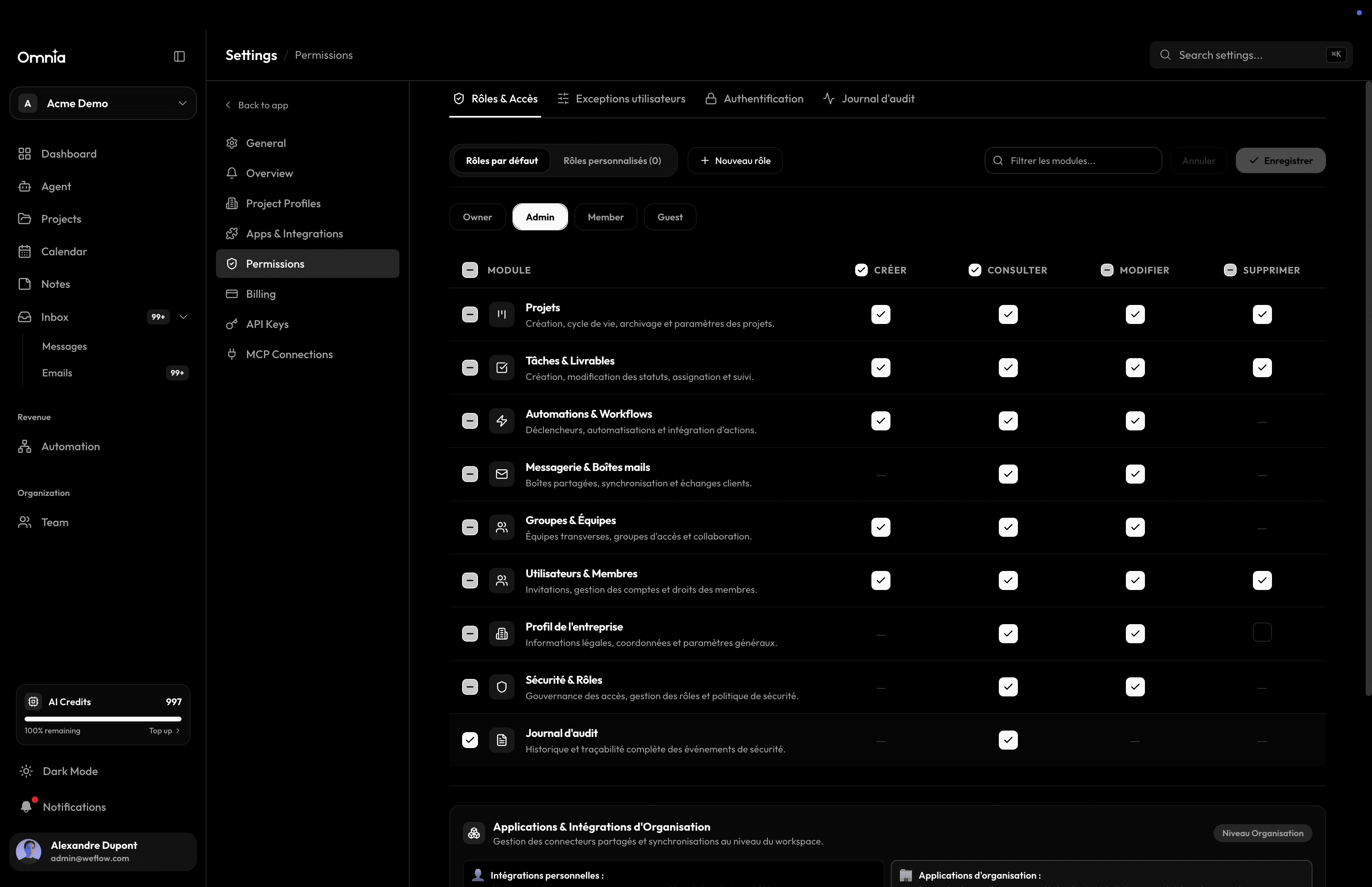
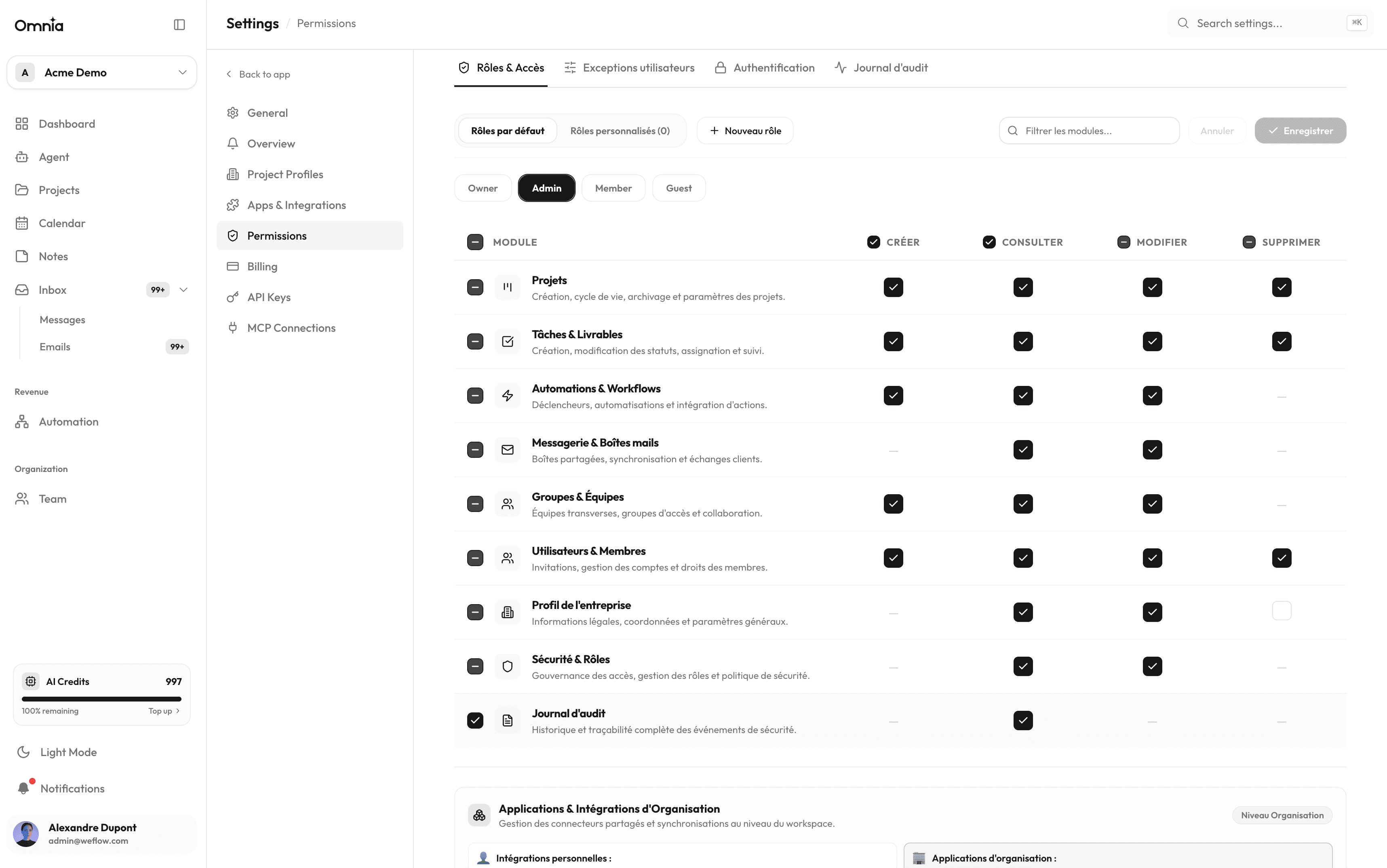
Role permission matrix
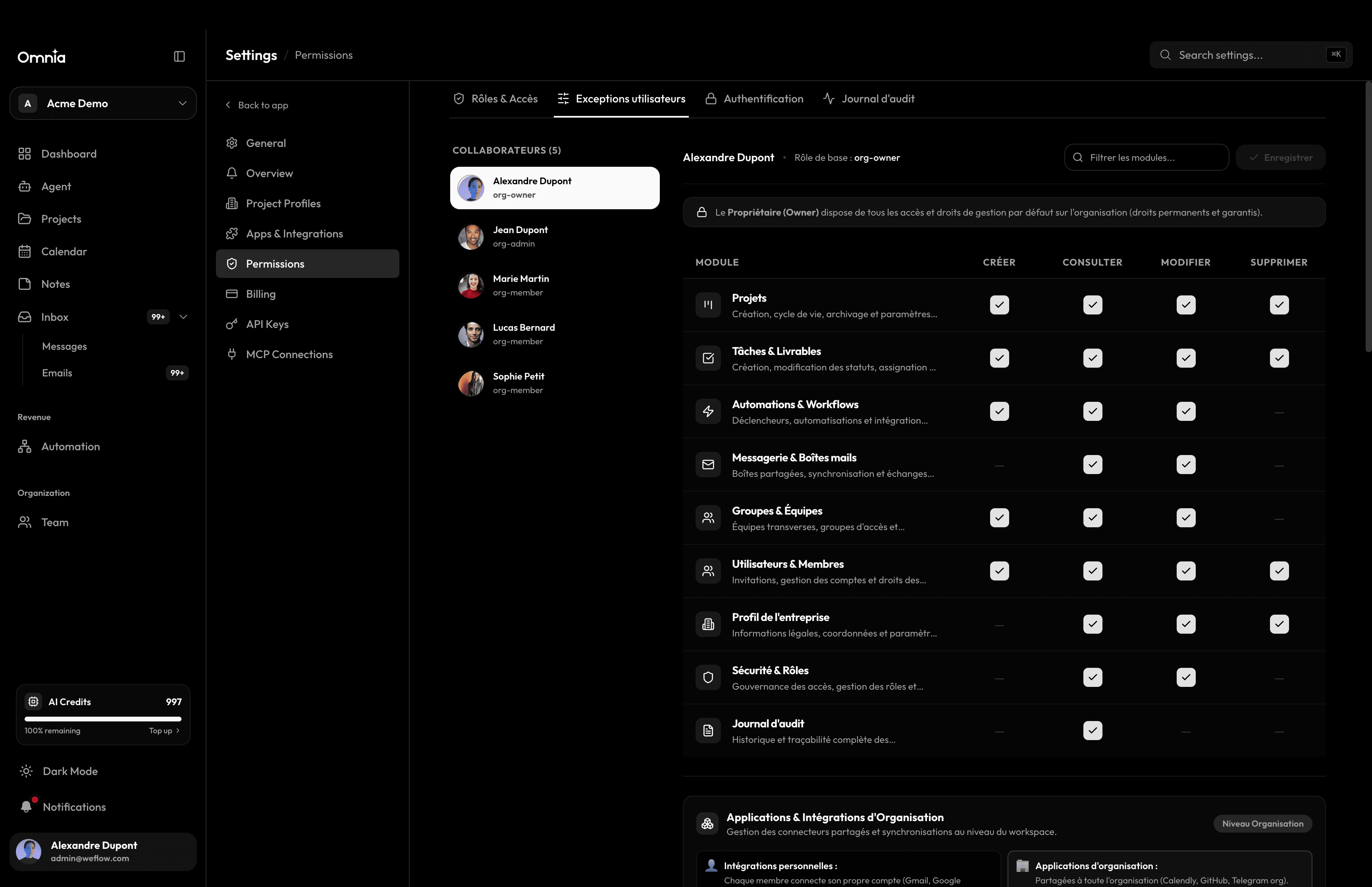
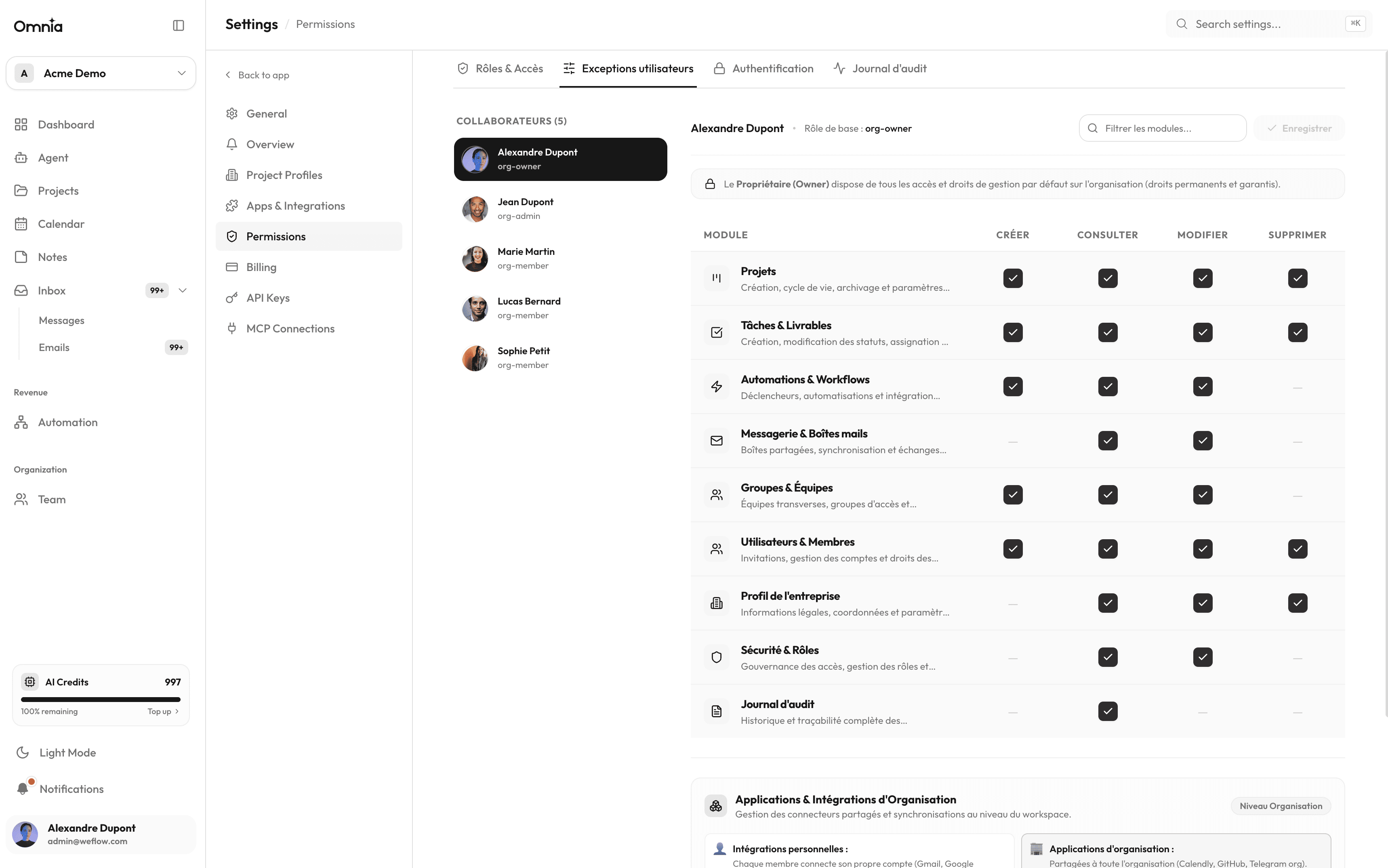
Each organization provides a customizable permission matrix by role. You can adjust capabilities for every operation: creating projects, modifying settings, managing billing, or inviting team members.
| Role | Scope | Permission description |
|---|---|---|
| Owner | Entire organization | Unrestricted rights including billing, ownership transfer, and workspace deletion. |
| Admin | Organization | Full member management, application installation, and project configuration. |
| Member | Assigned projects | Create and edit tasks, notes, and calendar events in authorized projects. |
| Guest / Viewer | Read-only | View shared tasks and documentation without editing permissions. |
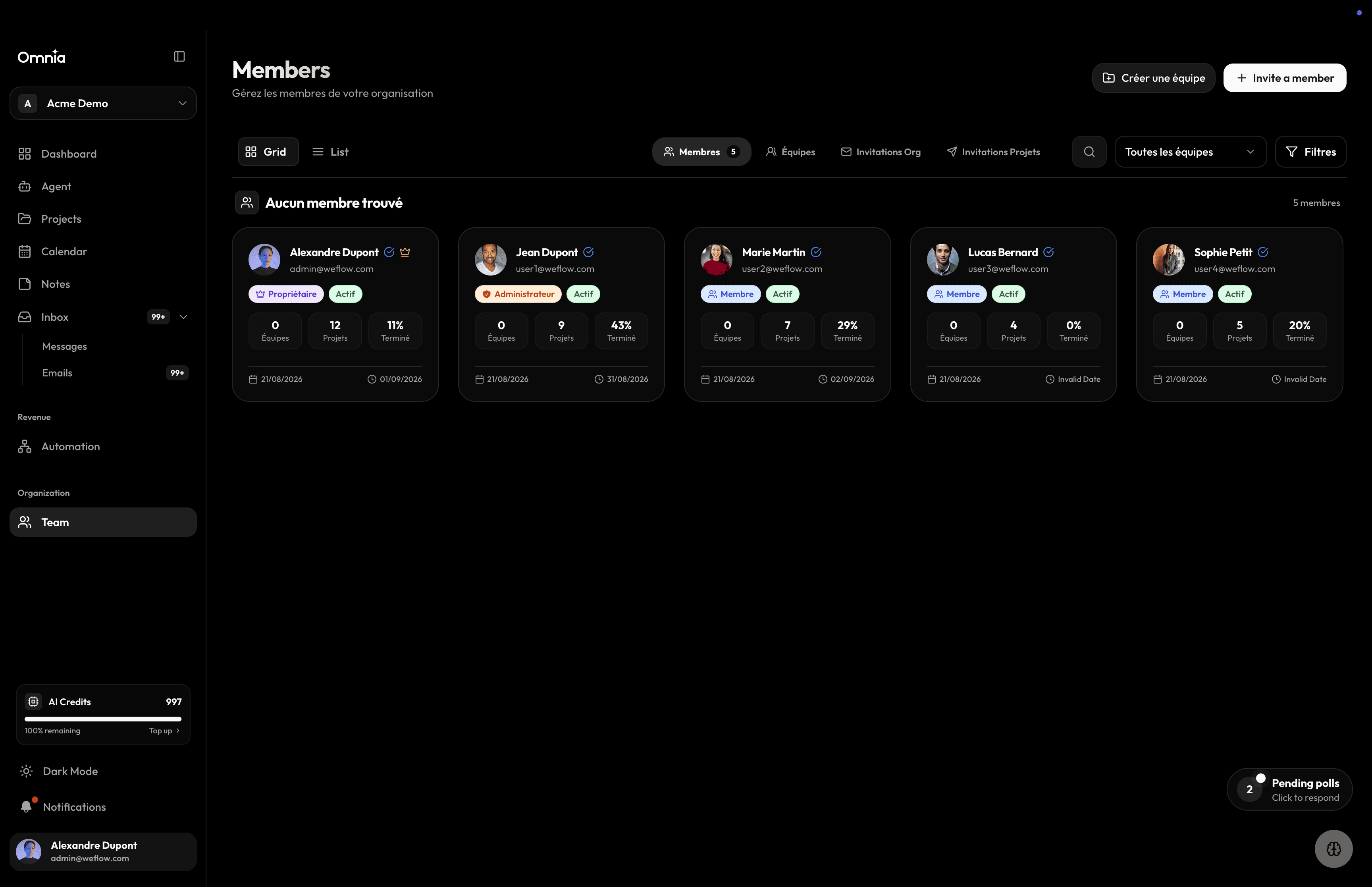
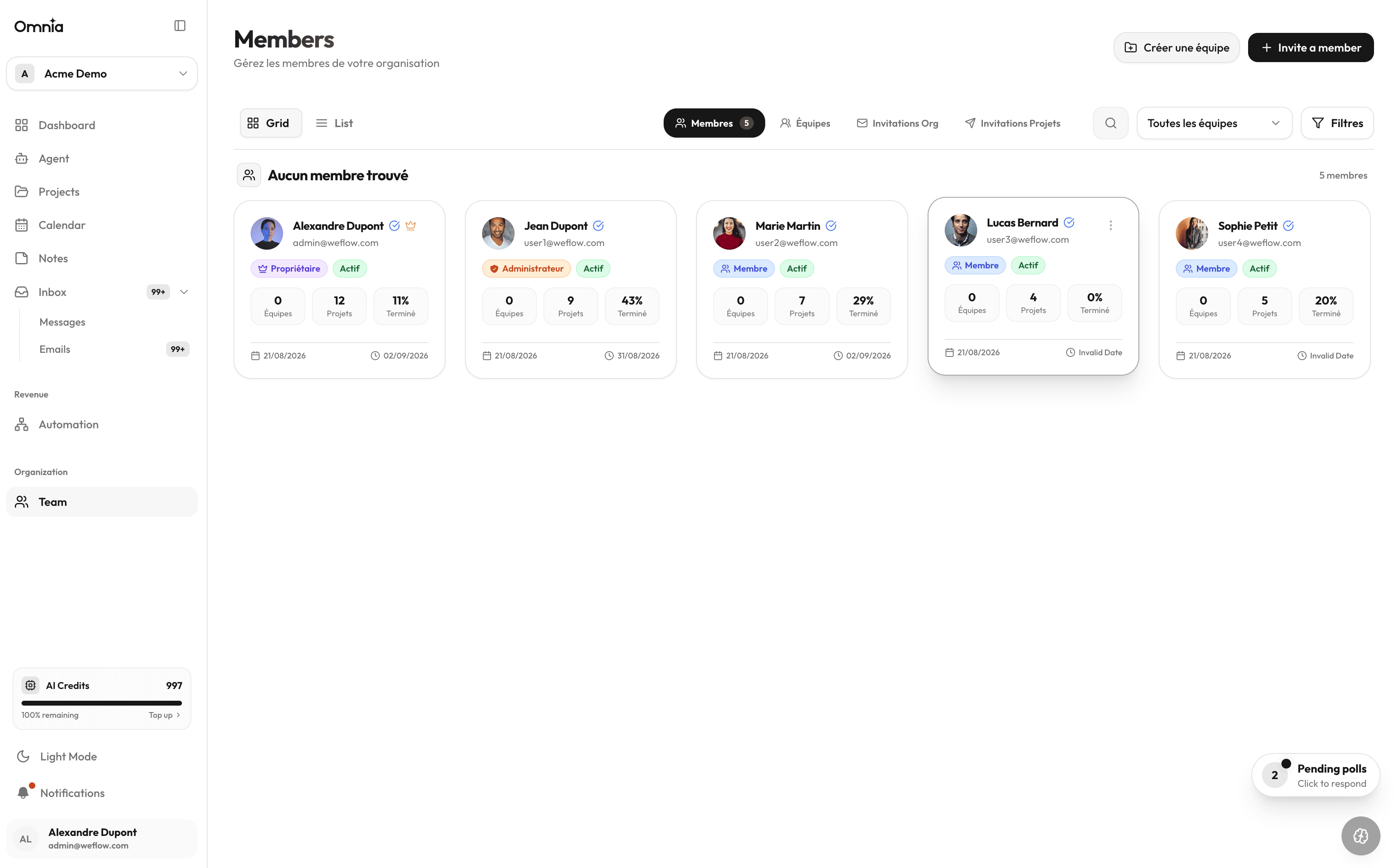
Teams & Working Groups
Group collaborators into dedicated teams (Engineering, Marketing, Design, Product). Assigning a team to a project or notebook immediately provisions access rights to all team members.
Per-user granular permissions
Beyond global roles, the member profile view lets you fine-tune access for individual team members: granting access to restricted projects, appointing project managers, or setting temporary permissions.
Complete audit trail
All permission changes, member invitations, and sensitive actions are recorded in the organization audit log (Settings › Audit).